In today’s PoC we will explore an event-autoscaler called Keda. We will use it to scale a Nginx deployment when an AWS SQS queue reach a certain size and will scale down when the queue is empty. Keda is an event autoscaler that can be deployed to any kind of Kubernetes cluster, and as fancy as Keda sounds, it’s really simple to undertand, but first a few definitions that I would like to clarify.
- Event, something that happens somewhere due to something.
- A quick example can be an EC2 Instance starting up.
- Autoscaling, resources that grow or shrink based on a defined preference.
- Might not be practical but you can stretch out (scale up) a chewing gum when you need to make a bigger bubble
Keda architecture 📐
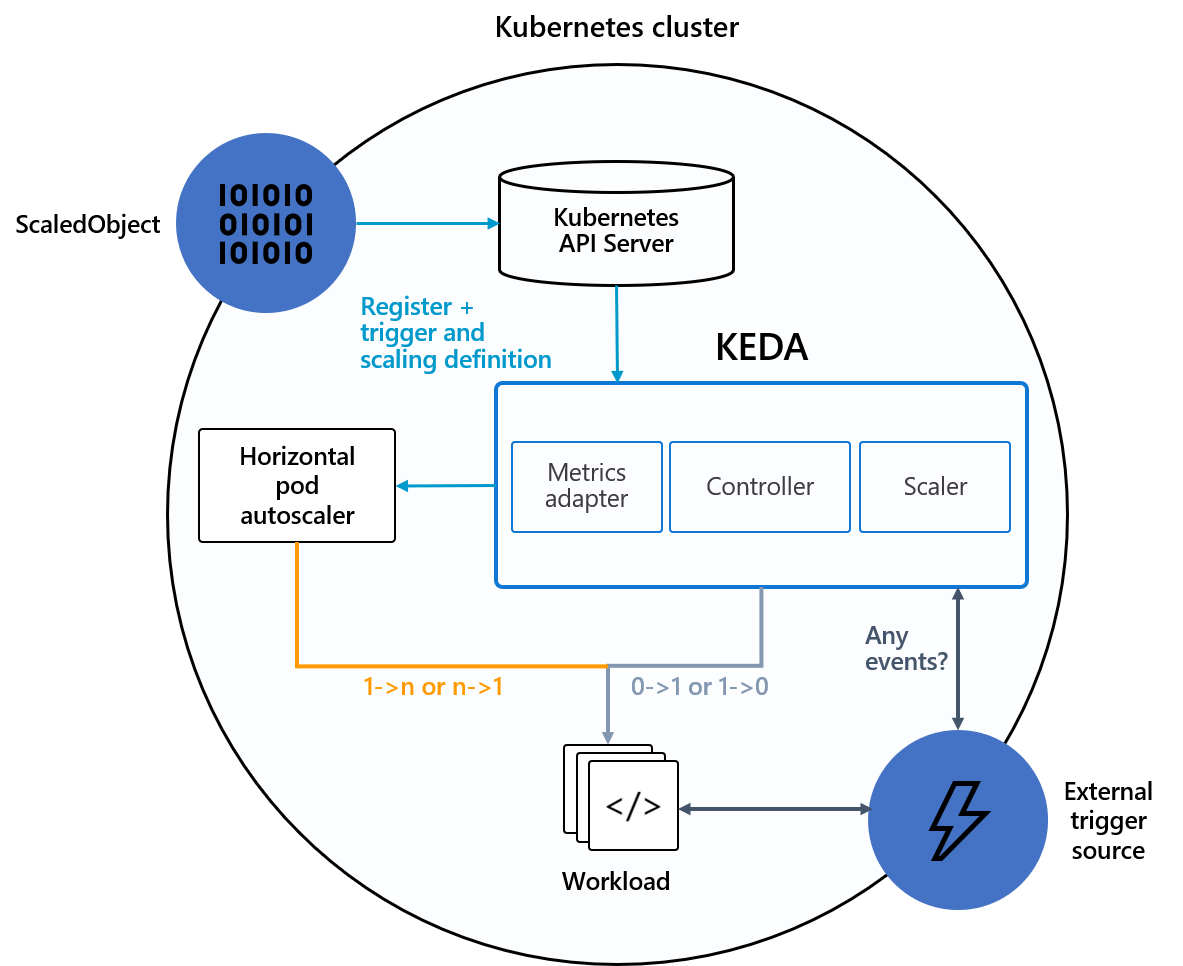
Under the hood, Keda works in conjunction with the Kubernetes Horizontal Pod Autoscaler HPA, external event sources and the Kubernetes etcd data store.
The Keda controller will watch over the configured event source, defined by a ScaledObject inside our Kubernetes cluster. When the event source generates a defined event, keda will act accordingly scaling up or down the target with the help of the Kubernetes HPA.
Keda ScaledObject
The specification of the Keda ScaledObject defines how Keda should scale your application and what triggers the scale up or down of the defined target.
apiVersion: keda.sh/v1alpha1
kind: ScaledObject
metadata:
  name: {scaled-object-name}
spec:
  scaleTargetRef:
    apiVersion:    {api-version-of-target-resource}
    kind:          {kind-of-target-resource}
    name:          {name-of-target-resource}
    envSourceContainerName: {container-name}
  fallback:
    ...
  advanced:
    ...
  triggers:
  # This configuration will define
  # what trigger KEDA will use and watch over
  # to determine if an object should scale up or down
  # https://keda.sh/docs/2.8/scalers/
The .spec.ScaleTargetRed defines which resource will be scaled up or down when an event source generates an event. For more information about ScaledObject feel free to look at the Keda’s documentation.
Demo Time 🥁
All code will be available on my gitlab.
Before we start playing with Keda, we will need the following available resources:
- AWS Account
- AWS Credentials
- Any sort of Kubernetes cluster (EKS, AKS, On-premise… etc)
- Following CLI’s installed
- Python
- Terraform
- AWS CLI
- Helm
- Kubectl
Let’s start by cloning the repository.
git clone https://gitlab.com/carlos336/poc/keda-autoscaler.git poc-keda-autoscaler
Installing Keda (Helm)
First we need to deploy Keda into our kubernetes cluster. For this we will be installing a vanilla version of Keda.
helm repo add kedacore https://kedacore.github.io/charts
helm repo update
helm upgrade --install keda kedacore/keda --namespace keda --create-namespace
After Keda is installed we will need to wait until all resources are available.
kubectl get pods -n keda
Deploying AWS Infrastructure
Before being able to deploy anything we do need to provide credentials to terraform so we will be able to create all required resources on our AWS account.
# terraform/versions.tf
provider "aws" {
  region     = "aws-region" # You will need to change this to your region
  # Either Access Keys or link one of your configured profiles
  # stored on ~/.aws/credentials
  profile = "default"
  # access_key = "aws-access-key"
  # secret_key = "aws-secret-access-key"
}
Running make terraform-apply will create all resources and output the required values for later.
For this small PoC we will only be deploying an AWS SQS Queue with it’s dead-letter queue linked to it.
After Terraform is done deploying our code, it will output the queue_url that we will need to save for later use.
Configuring Keda and testing it
The provided code for Keda and SQS configuration needs some changes before it can be used due to sensitive data being needed for it to work.
# kubernetes/keda-sqs-trigger.yaml
...
apiVersion: v1
kind: Secret
metadata:
  name: aws-iam-user
  namespace: keda-poc
data:
  AWS_ACCESS_KEY_ID: <sqs-queue-url> # This needs to be changed, remember it has to be base64 encoded
  AWS_SECRET_ACCESS_KEY: <sqs-queue-url> # This needs to be changed, remember it has to be base64 encoded
...
---
apiVersion: keda.sh/v1alpha1
kind: TriggerAuthentication
metadata:
  name: keda-aws-credentials
  namespace: keda-poc
spec:
  secretTargetRef:
  - parameter: awsAccessKeyID
    name: aws-iam-user
    key: AWS_ACCESS_KEY_ID
  - parameter: awsSecretAccessKey
    name: aws-iam-user
    key: AWS_SECRET_ACCESS_KEY
---
apiVersion: keda.sh/v1alpha1
kind: ScaledObject
metadata:
  name: aws-sqs-queue-test
  namespace: keda-poc
spec:
  scaleTargetRef:
    name: nginx-deployment
  minReplicaCount: 0  # We don't want pods if the queue is empty
  maxReplicaCount: 5  # We don't want to have more than 5 replicas
  pollingInterval: 2 # How frequently we should go for metrics (in seconds)
  cooldownPeriod:  25 # How many seconds should we wait for downscale
  triggers:
  - type: aws-sqs-queue
    authenticationRef:
      name: keda-aws-credentials
    metadata:
      queueURL: <sqs-queue-url> # Add the AWS SQS Queue URL provided by terraform in the previous step
      queueLength: "5"
      awsRegion: "<aws-region-codename>" # Add the region where the AWS SQS Queue is deployed
      identityOwner: pod
We will start to describe what everything does step by step.
Secret object will define the IAM permissions that KEDA will need to be able to look at AWS SQS queue and define if it needs to scale up or down the target.
TriggerAuthentication object allows you to describe authentication parameters separate from the ScaledObject. It also enables you to have a more advanced way of authentication.
ScaledObject object allows you to define the main configuration for Keda to scale your application
.spec.scaleTargetRef- This section will be used to define which resource inside the same namespace as the
ScaledObjectwill be the target that will eventually scale up or down.
- This section will be used to define which resource inside the same namespace as the
.spec.triggers- This section will be used to define the multiple triggers that will be used to decide if a scale up or scale down action takes place based on the events that have been generated.
After all the required changes have been performed, they can be applied by running make kubernetes apply
Testing keda
2 small python scripts have been provided inside the src/ folder:
send_message.py- Will send a message to the queue
receive_delete_messages.py- Will receive all messages from the queue and delete them
At this stage we don’t really mind what we are sending to the queue since the only thing that we want from SQS is to generate an event for us so Keda can scale our dumb Nginx deployment.
A .env needs to be configured too so both scripts can get the sqs_url parameter when calling the SQS endpoint. To make this simpler a .env_template has been provided inside the src/ folder.
It works! 🎉
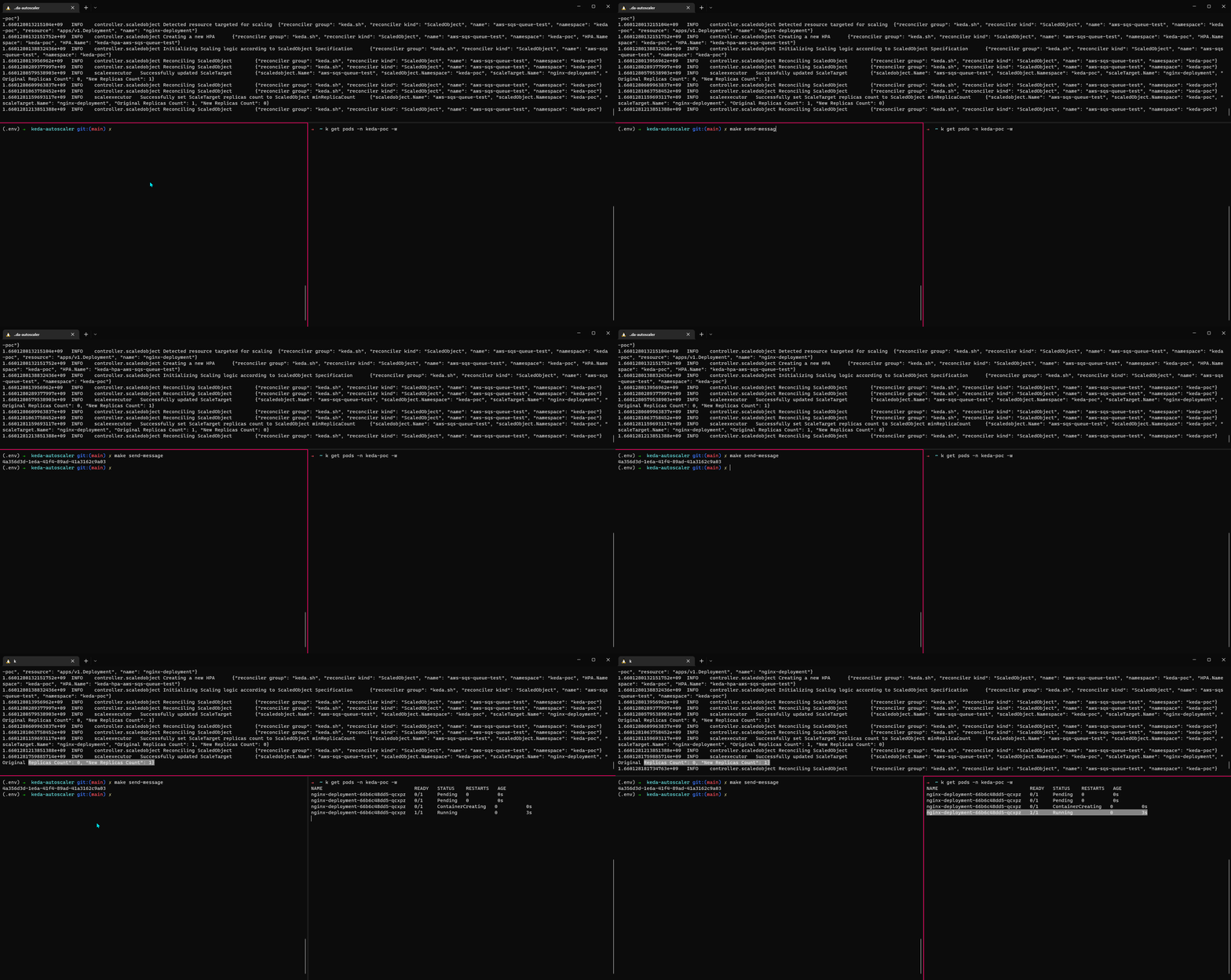
Finally, we are ready to send a message to the queue and see how Keda can scale up our Nginx deployment. Running make send-message will execute the python script responsible for sending a test message to the queue.
After a few seconds we can see that Keda will get that there is a message inside the queue and it will start to scale up the Nginx deployment, how much it scales will depend on how many messages are inside the queue and the configuration that we gave when creating the ScaledObject.